
Features
What it does today.
Built for a landscaping firm and used by one. This page lists only what is built and running. Some features are switched on firm by firm as we test them with the pilot firms; we will say which when we talk.
The office
See the week, then change it with confidence.
- Customers and sitesContact details, addresses and site notes such as gate codes and dogs, in one place. Crew see the access note only on jobs they are assigned to.
- Jobs by dayEach job has a supervisor and workers assigned by name. Multi-day jobs, several services on one job, and a daily log of who worked and what materials were used.
- A rota you can trustThe rota is built in the app, replacing the rota spreadsheet. Double-booking and staff holidays are flagged before you commit, with an override when you mean it.
- Weather flagsJobs whose forecast breaches limits for that kind of work are marked, so you can move them early. The flags are advice only; nothing is moved for you.
- EnquiriesWebsite enquiries land in an inbox and convert to a draft quote.
- RolesAdmin, office, supervisor and crew each see what they need and nothing more.
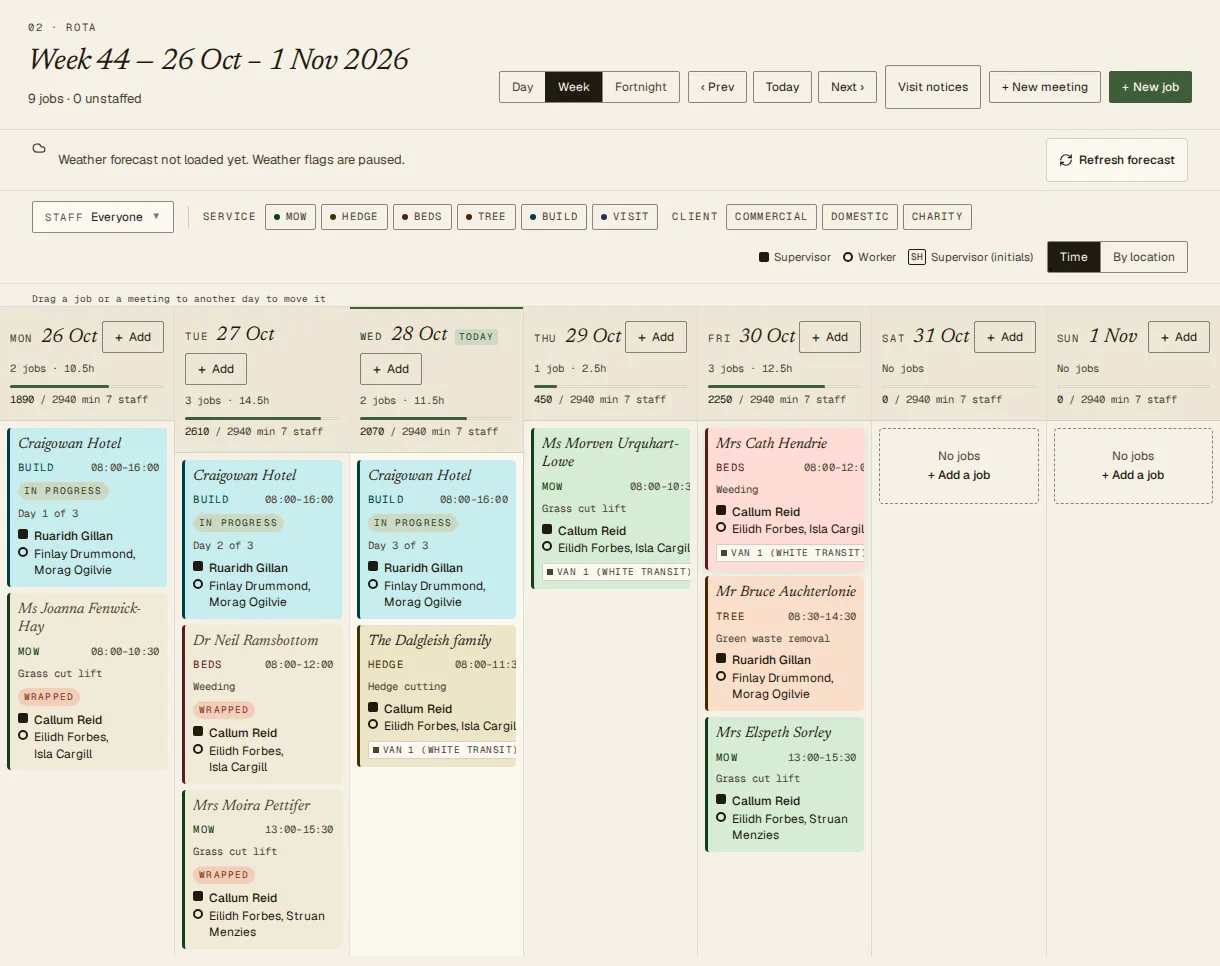
Watch: the rota and the crew phone app
Read the transcript
A rota you can trust.
Drag a job onto the rota.
If someone is already booked, you are told before you commit.
And rain on the forecast is flagged.
Out on site with no signal? Carry on.
Clock in, tick the checklist, add photos.
When the phone finds signal, it all sends.
Voice generated with ElevenLabs. Captions are in the player.
Crew in the field
A phone app that works where the work is.
- Today's jobsWhat am I on today, where, and who with. Open the address in Maps. Changes to the plan show up for the crew.
- Works with no signalInstall it from the browser. Today's jobs can be read offline, and clock-ins, checklists, notes, photos, receipts and spray records are queued on the phone and sent when it is back online. Nothing is sent in the background while the app is closed.
- Clock in and outTwo taps. If it was recorded offline, the office sees that and approves it knowingly.
- Photos and receiptsPhotograph a job or a receipt on site. Receipts wait for the office to review before they count as an expense.
- Report a faultTell the office a vehicle or machine has a problem straight from the phone.
It is a web app that installs on the home screen, not an app store app. Offline data is stored on the phone, unencrypted at rest.
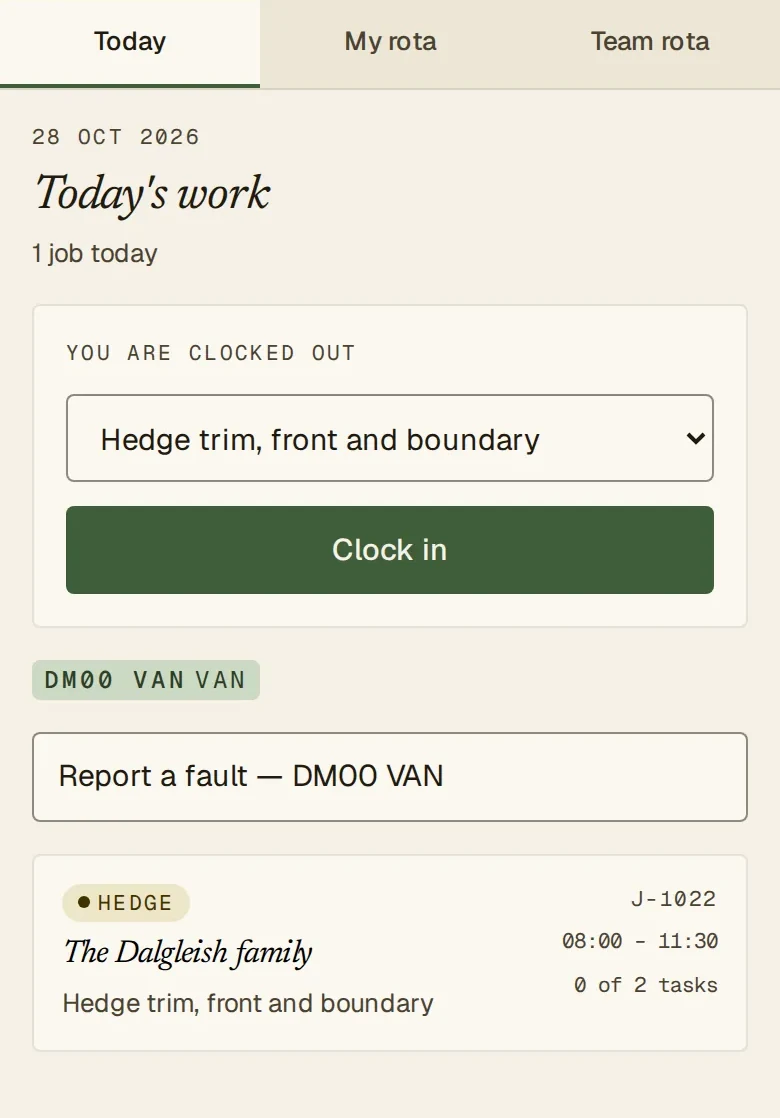
Watch: time tracking
Read the transcript
Time that adds up.
Clocking in takes two taps.
And so does clocking out.
The office approves with a click.
Anything wrong is corrected, with the reason kept on record.
Time you can pay on.
Voice generated with ElevenLabs. Captions are in the player.
Quotes and money
From enquiry to invoice without retyping.
- Quote
- To be scheduled
- Being done
- Done
- Invoice sent
- Invoice paid
These are the real stages a piece of work moves through.
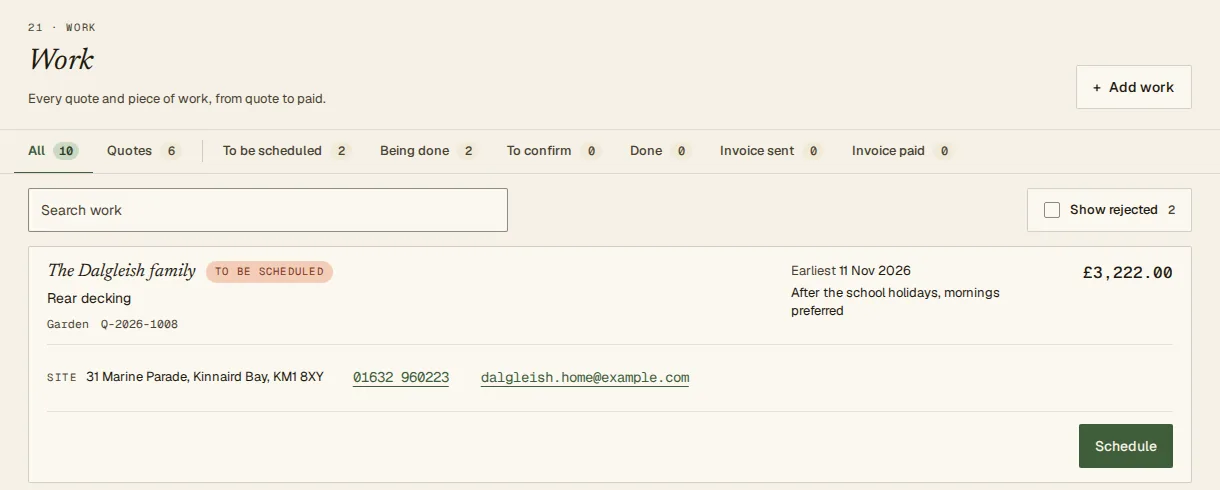
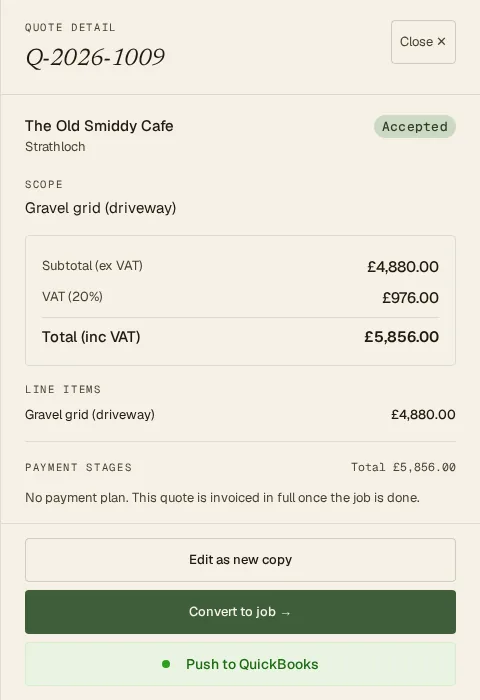
- A quote calculator on your rate cardLandscaping trades and garden-maintenance agreements priced from rates you set. Totals are worked out on the server, in pounds, so they match every time.
- Accepted quote to work itemAccepting a quote creates the work item that is scheduled and followed to the end. One page shows every piece of work and where it has got to.
- Quote acceptance by emailed linkCustomers can accept a quote from a link in the email. This is switched off until it has been checked for your firm.
- QuickBooks OnlineImport your customers from QuickBooks, and raise and send invoices from finished work after you have reviewed them. EasyUse never deletes or voids anything in QuickBooks.
- Time you can pay onApproved time per person and job, with office corrections recorded with a reason.
Watch: quoting, then invoicing
Read the transcript
Quotes that turn into jobs.
Measure the patio and pick the slabs.
Labour, plant and materials come from your rate card.
Email the quote, then mark it accepted.
That creates the job.
The materials come straight from the quote.
Labour comes from approved crew time.
So you see the margin as you go.
Voice generated with ElevenLabs. Captions are in the player.
Read the transcript
From finished job to paid invoice.
Invoice from the finished job: the price, then labour and materials.
Review it, and send it through QuickBooks.
Every job is followed right to the end.
Paid in QuickBooks. Shown here.
Voice generated with ElevenLabs. Captions are in the player.
Kit and compliance
The things that are easy to forget.
- Vehicles and plantVans, trucks, trailers and diggers, booked to jobs a day at a time. MOT, tax and service reminders with a lead time you choose, and an off-road state when something is pulled.
- Weed-spraying diaryCrew record each application on the phone. The office keeps a per-customer diary with corrections added as new entries, never overwriting the original, and prints it.
- Visit evidence reportsA printable or emailed PDF of completed visits and photos for a customer over a date range.
Your website
Quote calculators for your own site.
Two calculator widgets, one for garden maintenance and one for landscaping, can be embedded on your website. Visitors get an instant estimate, and landscaping enquiries arrive in your inbox. The widgets show only the price, nothing else from the system.
What it is not, yet.
No customer portal, no online payment collection, no multi-company accounts and no app store app. We are not going to pretend otherwise. If one of these is a must-have for you, tell us when you apply; it helps us decide what to build.